All projectsCase study Our own product
CertiPass.app.
Our platform for certificates, diplomas and attestations. The organiser creates them from a template and sends them by email, and anyone can verify them with a QR code.
- For
- Organisations that issue certificates for courses and events
- What we did
- Design, development and operation
- Launched
- January 2026
How it works.
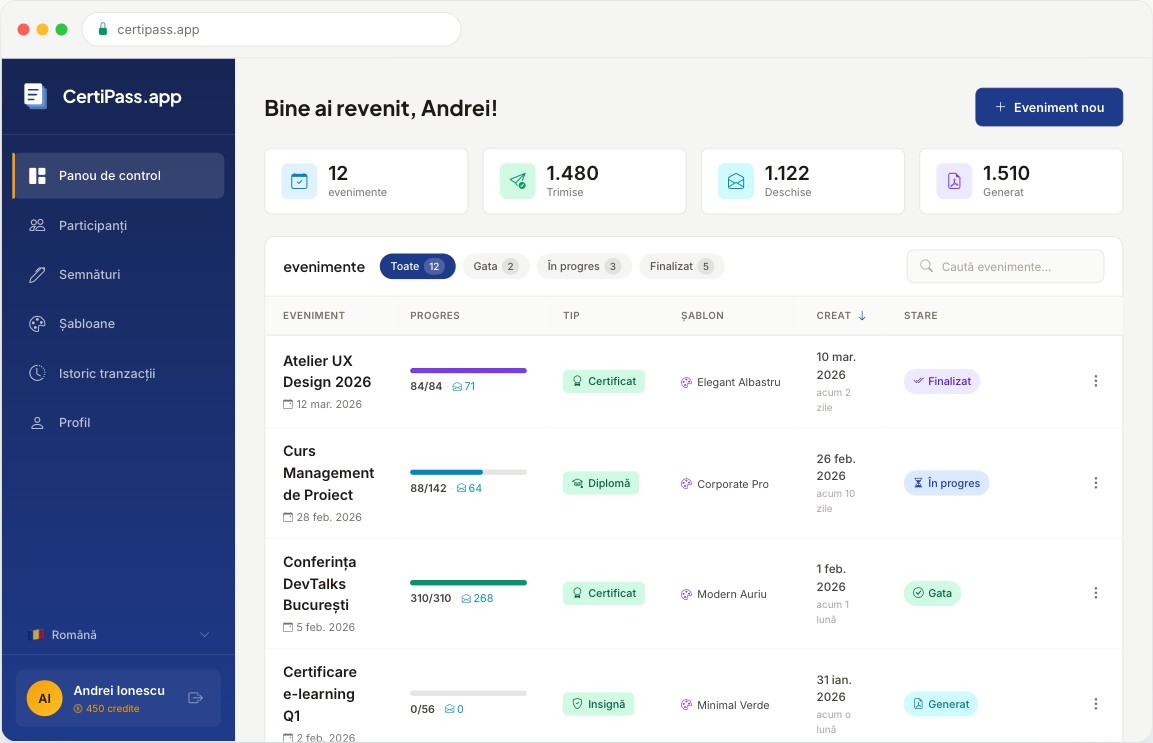
The dashboard
All events in one place, with delivery progress, status and statistics.
The event
It has a name and a date. The organiser chooses the document type (certificate, diploma or attestation) and the template.
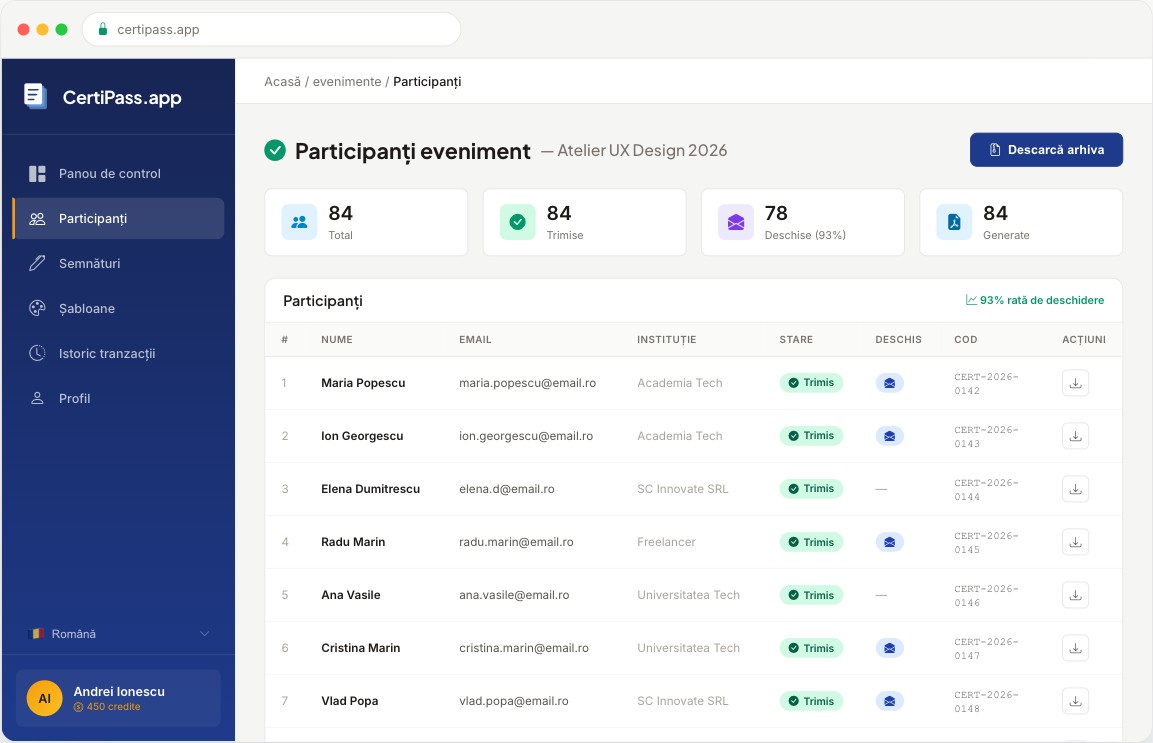
The participants
They are imported from a CSV file or added by hand. Duplicate addresses are flagged.
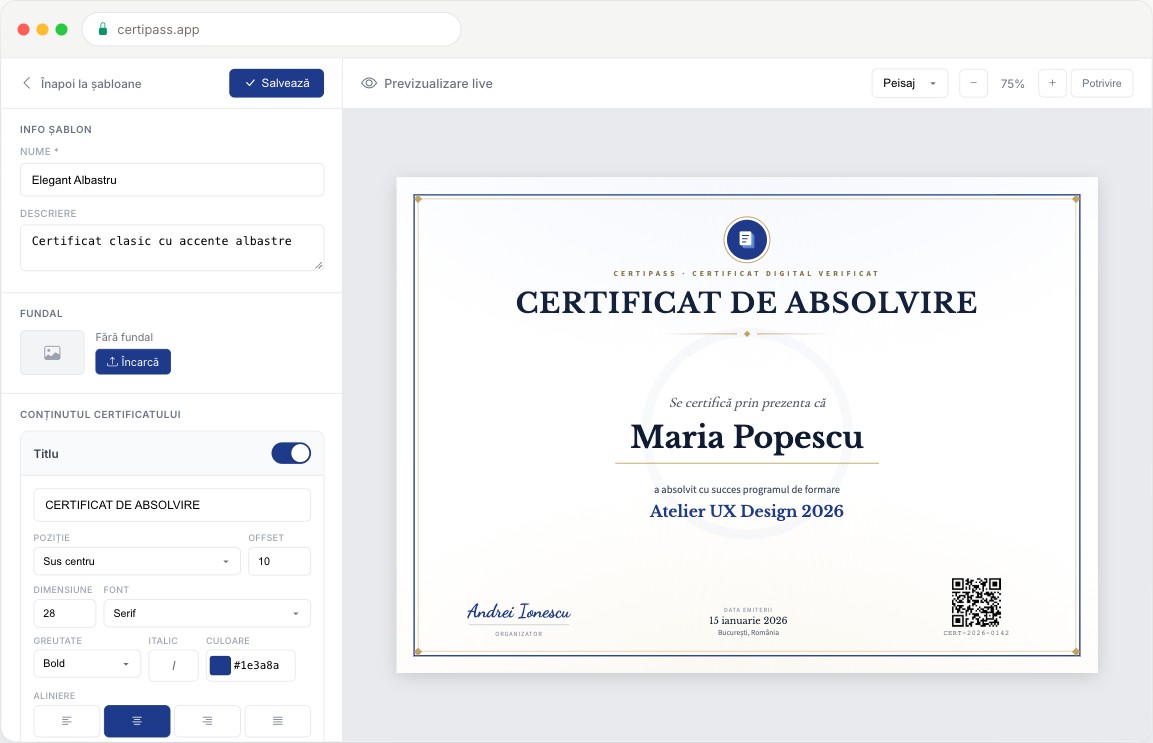
The template
It is chosen from the platform's templates. The title, description, background and signatures can be changed, with a preview.
Sending
Certificates are generated as PDFs and sent by email. For each participant you can see the status: sent, opened or failed.
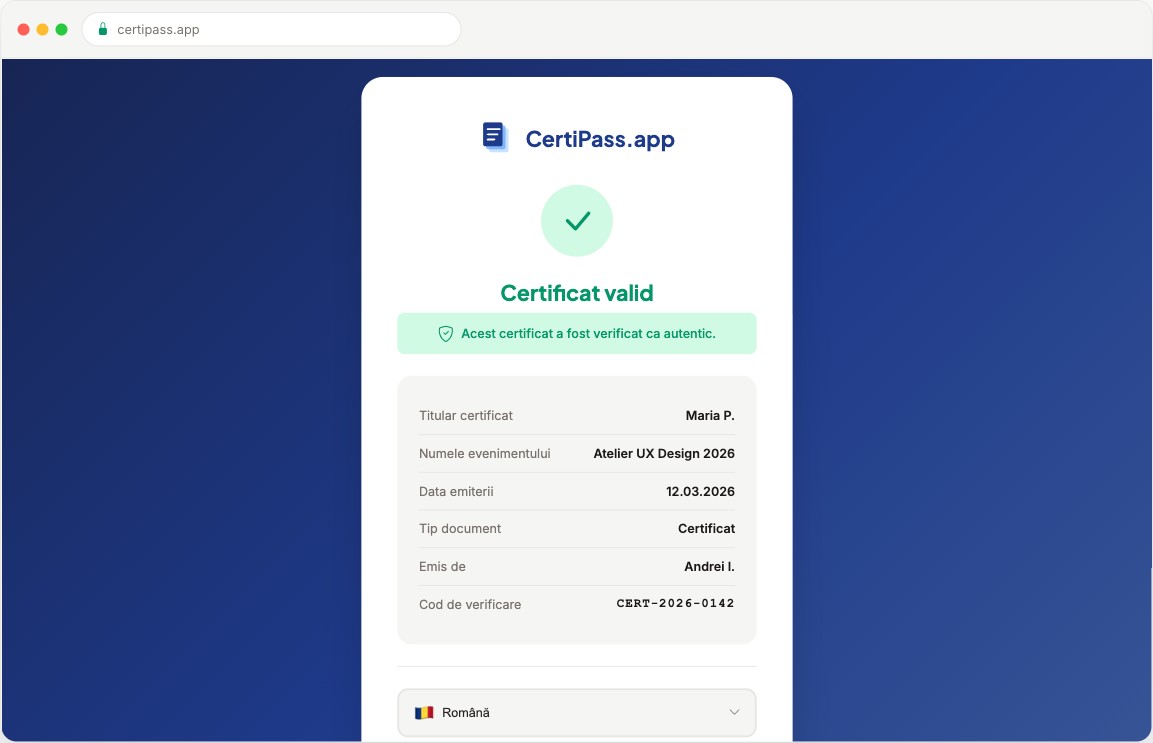
Public verification
Every certificate has a unique QR code. Anyone who scans it reaches the verification page, with no account needed.
For teams.
A team is an organisation's own separate space. We open it on request, and the organisation works from its own website.
From the organisation's website
The team works from its own website, where CertiPass is integrated. It does not need separate accounts on certipass.app.
Everything is shared
Events, templates, signatures and credits belong to the team, not to one person. One team cannot see another team's data.
Its own sender and logo
Emails go out with the organisation's name, address and logo. On the verification page, its name is shown in full.
Its own template editor
The team creates, edits and clones its templates: position, font, size, colour, QR code and signatures.
A portal for recipients
The organisation places the portal on a page of its website. Each recipient enters their email address and receives a link to all the certificates issued in their name.
A registration register
A list of all participants and their registration numbers, across all events, with search and CSV export.
Details that matter.
The holder's name is shortened
On the public verification page, the person's name is not shown in full. The name of the organisation that issued the certificate is.
The portal does not reveal who has certificates
The answer on screen is the same for any address. The result only arrives by email.
Problem addresses are blocked
Addresses that bounce messages or file a complaint go onto a blocklist and receive no more emails.
The status of a send can change
Some bounces arrive hours after sending, so a batch that looked complete can later be marked as partial.
Two kinds of credits
One credit means one certificate, with email and PDF. Personal credits do not expire; team credits have a validity period.
Certificates for printing
Teams can also issue certificates without email, for those handed out on paper.
Results.
The platform has been live since January 2026. It is used both from personal accounts and by teams, from their own websites.
Write to us.
Do you have a procedure that would run more easily in an app? Tell us in a few lines what you want to solve. You do not need a prepared document. We will then set up a first conversation.
contact@socialit.ro